

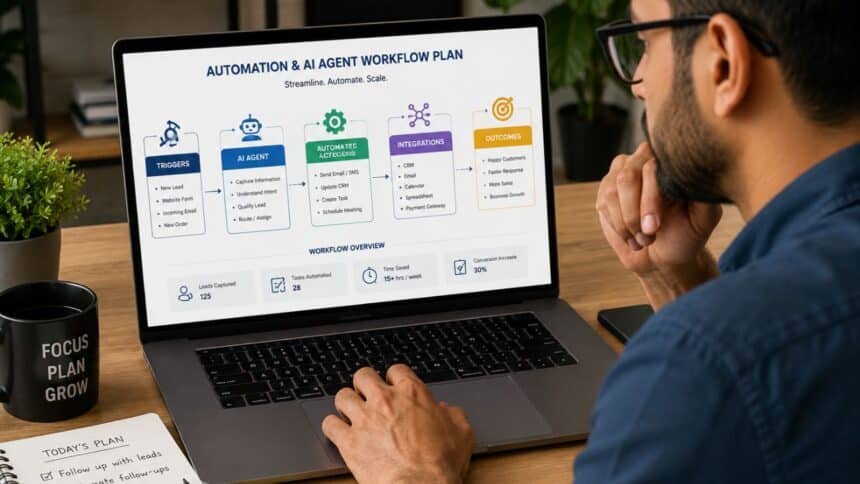
Most small business owners don’t fail at AI automation because they picked the wrong tool. They fail because they never built a plan for how an AI agent and a no-code workflow tool are supposed to work together so they end up with a chatbot bolted onto a Zapier flow that nobody fully understands six months later. This guide is the practical layer between the other two: it’s not about what an AI agent is, and it’s not a tool review. It’s about sequencing what to automate first, how to decide between a simple workflow and a full agent, and how to avoid the expensive rebuild that happens when those choices get made backwards.
What This Guide Actually Covers
Think of this as the “how do I put this together” guide, sitting between two things you may have already looked at: understanding AI Agents for Small Business as a category, and understanding No-Code Automation for Small Business as a category. Once you know roughly what each one is, the next questions are practical and that’s where most guides stop being useful and start being vague.
The eight specific questions in order: which process to automate first, whether a chatbot or a full agent fits the job, how to write instructions an agent will actually follow, how to combine automation and agents instead of choosing one, how to avoid a pile of disconnected tools, what a realistic 90-day rollout looks like, what other small businesses got wrong, and how to make the ROI case to someone who isn’t convinced yet.
Automation, No-Code Workflows, and AI Agents Aren’t the Same Decision
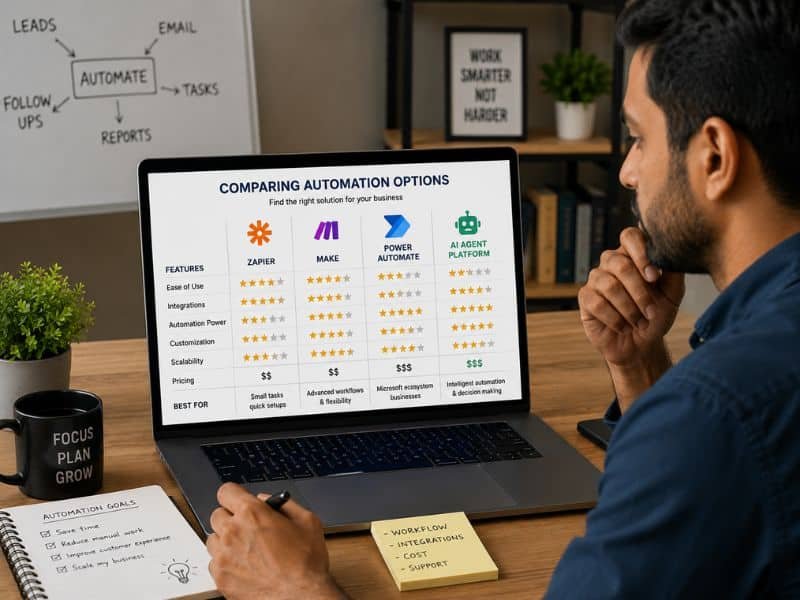
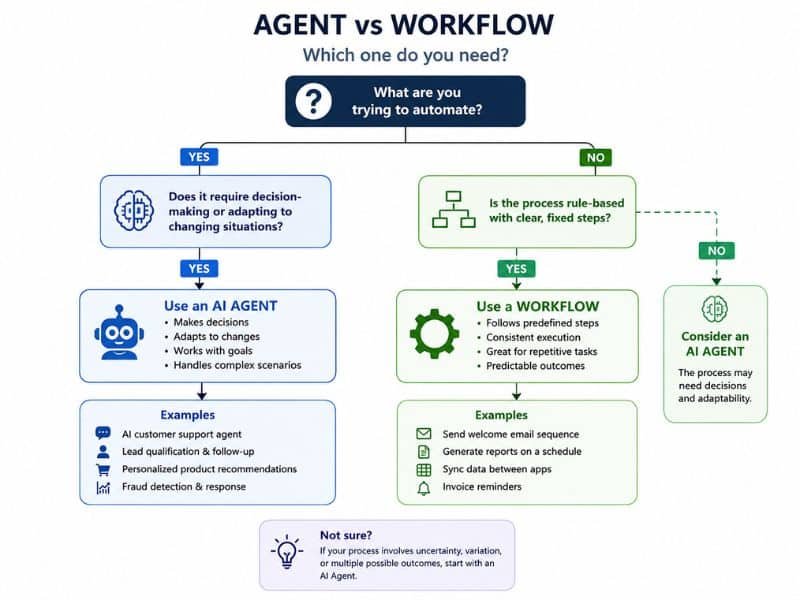
A no-code workflow (built in a tool like Zapier or n8n) follows a fixed path: trigger, then a set sequence of steps, every time. An AI agent makes a judgment call inside that path deciding what to say, which record matches, or whether a case needs a human. The mistake is treating this as an either/or choice. Most working setups use both: a workflow tool handles the plumbing (moving data, triggering emails, updating a spreadsheet), and an agent handles the part that actually requires reading and deciding something.
A useful test: if the decision can be written as a flowchart with no ambiguity, it’s a workflow. If someone on your team would need to actually read the message before acting, that’s the part worth putting an agent on. Getting this split wrong in either direction is expensive an agent doing pure data-shuffling costs more per run than it needs to, and a rigid workflow trying to handle judgment calls breaks the first time a customer phrases something unexpectedly.
What This Actually Costs to Get Right
Budget for two separate costs: the tools themselves, and the time to configure them properly. Workflow platforms typically run somewhere in the $20–$100/month range for a small team’s volume, while adding AI agent capability either through a dedicated agent platform or AI steps inside a workflow tool usually adds a separate per-task or per-execution charge on top. None of these numbers are fixed, and pricing on both sides changes often enough that a number quoted six months ago may already be wrong. Check current pricing directly on the vendor’s page before budgeting, not from an older article, including this one.
The bigger cost most owners underestimate isn’t the subscription it’s the setup time. A workflow connecting two apps with no AI step might take an afternoon. Add an agent that needs to handle ambiguous customer language reliably, and you’re looking at days of testing edge cases, not hours. Budget for that time the same way you’d budget for the software.
Where These Projects Usually Go Wrong
The most common failure isn’t a broken integration it’s scope creep in the wrong direction. A business automates one email sequence, it works, and within a month there are twelve workflows and an agent, none of them monitored, and nobody remembers which one owns which piece of customer data. The fix isn’t more tools. It’s a single owner for the whole stack and a short list of what’s automated, reviewed monthly.
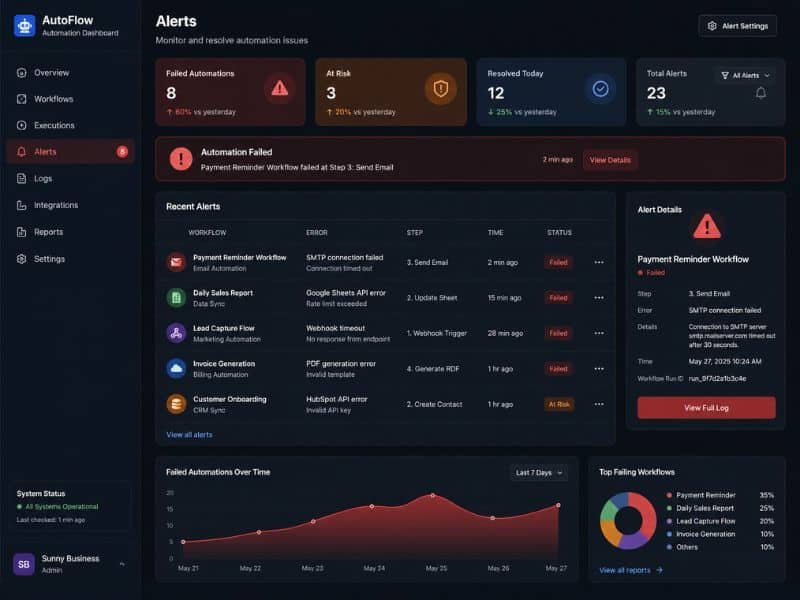
The second common failure is skipping the trial run. An agent that handles 40 test messages perfectly can still fail on message 41 if it’s phrased in a way nobody tested. Run a real pilot — a week or two with a fallback to a human before letting an agent handle a process unsupervised. The third failure is silence: automations that fail quietly, with no alert, so a business owner finds out three weeks later that new leads have been going nowhere.
FAQ
Should I set up AI agents and no-code automation at the same time, or one after the other?
Start with a no-code workflow for the parts that follow a fixed path, then layer in an AI agent only for the step that needs judgment. Building both at once usually means neither gets tested properly before it goes live.
What should a small business automate first?
The process with the highest volume and the lowest ambiguity something like appointment reminders or invoice follow-ups usually qualifies. Save the judgment-heavy, customer-facing work for once you’ve got a working pattern to build on.
How much does it cost to combine AI agents with no-code automation?
Expect a workflow platform subscription plus a separate charge for AI capability, often billed per task or execution. Costs vary by vendor and change often, so confirm current pricing directly with the vendor rather than relying on a fixed figure.
Do I need a developer to build an automation and AI agent stack?
Not for most of what’s covered in this cluster the platforms involved are built for non-technical setup. A developer becomes useful once you need custom logic the no-code tools don’t support natively.
How long does it realistically take to see results from automation?
A single workflow can go live in a day or two. A reliable AI agent handling customer-facing judgment calls usually needs one to two weeks of testing before it’s trustworthy unsupervised budget for that testing time, not just setup time.