


TikTok’s AI content continues evolving with a new feature allowing users to customize how much AI-generated content appears in their “For You” feed. This control is embedded within the app’s “Manage Topics” tool, enabling users to tailor their feed by adjusting the presence of AI content alongside popular categories like Dance, Sports, and Food & Drinks. This approach helps maintain content diversity without completely replacing existing videos.
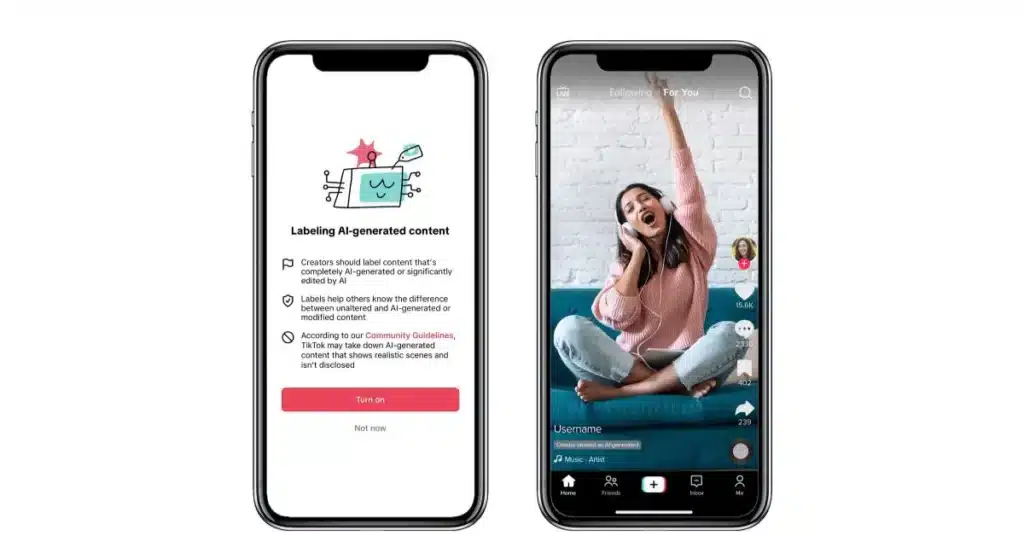
The platform is also enhancing transparency by introducing advanced labeling technologies for AI-generated content. This includes invisible watermarking that makes AI-created videos easier to identify and safeguards against label removal when content is reuploaded elsewhere. TikTok encourages creators to mark AI-generated posts clearly, maintaining authenticity and fostering informed viewer experiences across the app.
These updates come amid growing competition from companies like Meta and OpenAI, which are also expanding AI-driven features in social feeds. TikTok’s new AI content controls and labeling efforts reflect the platform’s commitment to user empowerment and AI literacy, backed by initiatives like a $2 million fund to promote safe AI education and responsible content creation.
How to Apply the AI-Generated Content Label for Photos on TikTok
- Open TikTok and tap the Add post + button at the bottom.
- Capture your photo using the app’s camera.
- Tap the Post settings option at the bottom of the screen.
- Enable the AI-generated content setting before posting to label your photo as AI-generated.
How to Apply AI-Generated Content Label for Videos on TikTok
- Tap the Add post + button and record a video or upload one from your device.
- After recording or uploading, tap the Continue ✓ button, then tap Next.
- Select More options, locate the AI-generated content setting, and turn it on.
- Proceed to post your video with the AI-generated label clearly applied.
