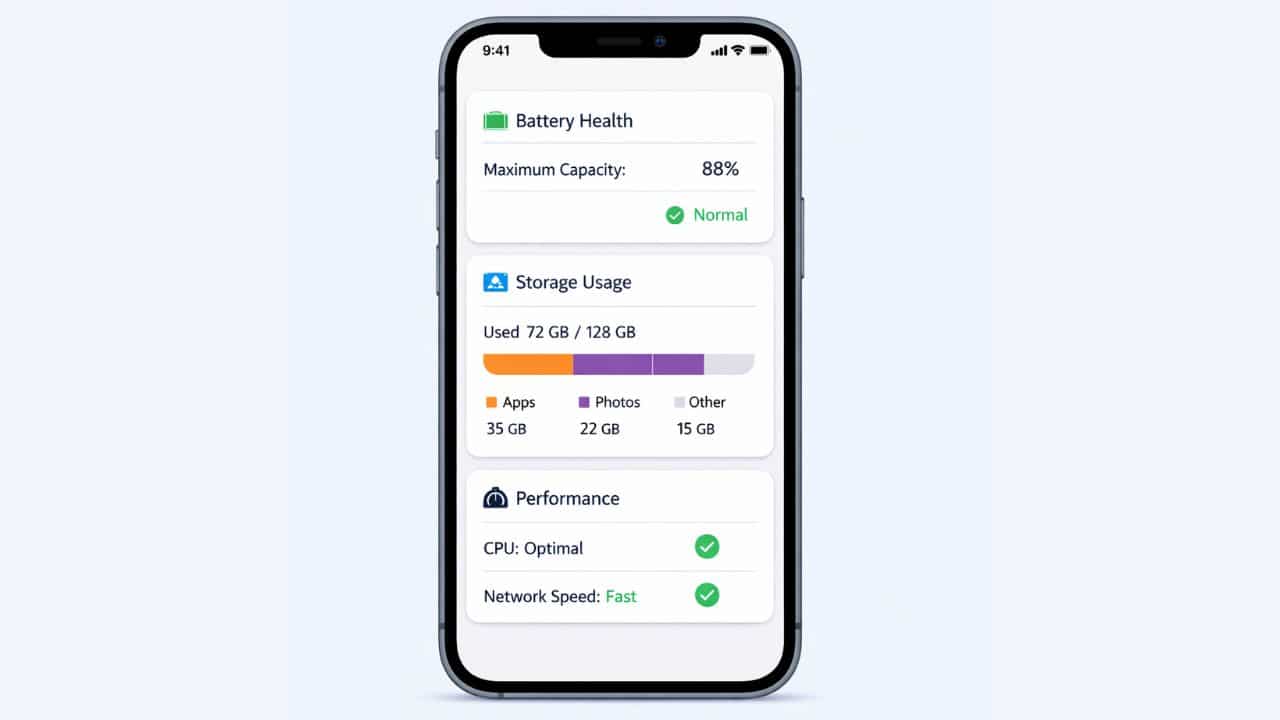
An iPhone’s usefulness depends on three invisible systems working together smoothly: performance, battery management, and storage control. When any one of these systems is misunderstood or mismanaged, users experience slowdowns, rapid battery drain, storage warnings, or inconsistent behavior that feels difficult to explain.
iOS is designed to manage these resources automatically. Unlike desktop operating systems, it constantly balances power efficiency, speed, and system stability without requiring user intervention. This design keeps iPhones responsive and reliable across years of use, even as apps and services grow more demanding.
For users in the United States, understanding how iOS handles performance, battery, and storage helps set realistic expectations and prevents unnecessary troubleshooting. Many perceived “problems” are actually intentional system behaviors designed to protect hardware health and user experience.
This explains how iOS manages system performance, how battery health and usage are controlled, and how storage is allocated and optimized. It forms the foundation for deeper topics such as battery optimization, storage cleanup, and performance troubleshooting.
How iOS Manages System Performance
Performance in iOS is not about delivering maximum speed at all times. Instead, the system dynamically balances responsiveness, efficiency, and hardware longevity.
Dynamic Resource Allocation
iOS constantly monitors how apps use the processor, memory, and graphics resources. When an app is actively being used, it receives priority access to system resources. When it moves to the background, its activity is reduced or paused.
This approach ensures:
- Smooth performance for active tasks
- Reduced background load
- Lower battery consumption
By tightly controlling resource allocation, iOS avoids the gradual slowdown often associated with unmanaged background processes.
Memory Management on iOS
Memory, often referred to as RAM, is handled very differently on iOS compared to desktop systems.
App Suspension Model
When users switch between apps, iOS does not allow all apps to run freely in the background. Instead, inactive apps are suspended. Their state is preserved, but they are not actively using system resources.
If memory pressure increases, iOS automatically closes suspended apps. This behavior is normal and prevents system-wide slowdowns.
Why Manual App Closing Is Rarely Needed
Manually closing apps does not improve performance in most cases. In fact, reopening closed apps can consume more battery and processing power than allowing iOS to manage them automatically.
CPU and Performance Throttling
iOS adjusts processor performance based on system conditions. This includes temperature, battery health, and workload intensity.
Thermal Management
If an iPhone becomes too warm, iOS reduces performance temporarily to prevent hardware damage. This protects internal components and maintains long-term reliability.
Battery Health Considerations
On devices with aging batteries, iOS may reduce peak performance to prevent unexpected shutdowns. This tradeoff prioritizes stability over short bursts of speed.
These adjustments are automatic and reversible, depending on system conditions.
Understanding iOS Battery Management
Battery management is one of the most sophisticated areas of iOS design. The system is built to extend both daily battery life and long-term battery health.
How iOS Tracks Battery Usage
iOS monitors how apps consume power in real-world usage. Instead of relying on estimates, it records actual usage patterns and displays them in system settings.
Users can see:
- Which apps consume the most battery
- When power usage increases
- How background activity affects battery life
This transparency helps users identify inefficient apps or usage habits.
Battery Health Explained
Battery health measures the maximum charge capacity compared to when the battery was new. As lithium-ion batteries age, their capacity naturally declines.
iOS uses battery health data to:
- Predict potential shutdowns
- Adjust performance when necessary
- Optimize charging behavior
A declining battery health percentage does not mean a device is failing. It reflects normal chemical aging.
Optimized Battery Charging
iOS includes charging optimization features designed to reduce battery wear. By learning daily charging habits, the system delays charging past certain levels until the device is needed.
This reduces the time the battery spends at high charge levels, which helps slow long-term degradation.
Background Activity and Battery Life
Apps running in the background can consume power even when not actively used. iOS limits background activity through system rules.
Background App Refresh
Only approved apps can refresh content in the background, and even then, iOS controls when and how often this occurs. The system prioritizes apps that users interact with frequently.
Limiting unnecessary background activity improves battery efficiency without affecting usability.
Low Power Mode
Low Power Mode is a system-wide feature that reduces background activity, visual effects, and performance intensity.
When enabled, iOS:
- Limits background processes
- Reduces visual animations
- Lowers system refresh rates
This mode is particularly useful during extended periods away from charging.
iOS Storage Management Basics
Storage on an iPhone is managed dynamically. Instead of requiring manual file organization, iOS allocates space automatically based on usage patterns.
Types of Storage Data
iOS storage typically includes:
- Apps and app data
- Photos and videos
- System files and caches
- Messages and attachments
Each category is tracked separately to provide visibility into space usage.
System Data and Temporary Files
System data includes caches, logs, and temporary files used to keep the system running smoothly. This data grows and shrinks automatically based on system needs.
While system data can sometimes appear large, it is usually temporary and self-managing. Manually interfering with system files is neither recommended nor necessary.
App Storage Behavior
Apps store data locally to improve performance and offline access. Over time, app data can grow due to cached content, downloads, and saved preferences.
iOS provides per-app storage breakdowns so users can identify which apps consume the most space and decide whether to keep or remove them.
iCloud and Storage Optimization
Cloud integration allows iOS to balance local storage and online access. When storage becomes limited, the system can offload less-used apps while preserving user data.
Photos, documents, and backups can also be stored remotely and downloaded only when needed. This hybrid approach maximizes usable space without sacrificing access.
Performance Over Time
A common concern among users is whether iPhones slow down as they age. In practice, iOS prioritizes consistent performance rather than raw speed.
Software Updates and Performance
System updates often include performance optimizations and bug fixes. While new features may increase system demands, updates are designed to run efficiently on supported devices.
Perceived slowdowns are often related to:
- Battery aging
- Increased app complexity
- Storage nearing capacity
Understanding these factors helps set realistic expectations.
Storage Capacity and Performance
Low available storage can affect system performance. iOS requires free space to manage updates, caches, and temporary files.
When storage becomes critically low, the system may restrict certain operations until space is freed. Maintaining available storage improves stability and responsiveness.
Managing Performance Without Third-Party Apps
iOS does not require external tools to manage performance. Built-in system controls provide all necessary insights and adjustments.
Users can:
- Review battery usage
- Manage background activity
- Optimize storage
Third-party “cleaner” apps are unnecessary and often ineffective due to system restrictions.
Common Misconceptions About iOS Performance
Many users believe frequent restarts or manual app management improves performance. In reality, iOS is designed to operate continuously and manage itself.
Another misconception is that newer updates intentionally degrade older devices. In practice, performance adjustments are aimed at preserving usability and battery stability.
When Performance Issues Indicate a Real Problem
While most performance changes are normal, some signs may require attention:
- Sudden and persistent overheating
- Rapid battery drain unrelated to usage
- Frequent system crashes
In these cases, deeper troubleshooting or hardware inspection may be necessary.
Long-Term Device Health
iOS is engineered to support long-term device use. Performance management, battery optimization, and storage control all contribute to extending device lifespan.
This approach benefits users by:
- Reducing the need for frequent upgrades
- Maintaining consistent daily performance
- Protecting hardware components
The Role of the Operating System Vendor
Because Apple controls both hardware and software, iOS can be optimized more tightly than systems relying on third-party hardware. This vertical integration allows precise performance tuning across device generations.
Who Should Understand iOS Performance, Battery, and Storage?
This knowledge benefits:
- Everyday iPhone users
- Professionals relying on mobile productivity
- Users experiencing battery or storage concerns
- Long-term device owners
Understanding system behavior reduces frustration and improves decision-making.
iOS performance, battery, and storage management are designed to work quietly and intelligently in the background. Rather than chasing maximum speed, the system focuses on stability, efficiency, and long-term reliability.
Yes. iOS needs free storage space for system operations. Very low storage can affect performance and updates.
No. iOS manages background apps automatically. Manually closing apps usually does not improve performance and may increase battery usage.
Battery health declines due to natural chemical aging. iOS manages performance to maintain stability as batteries age.