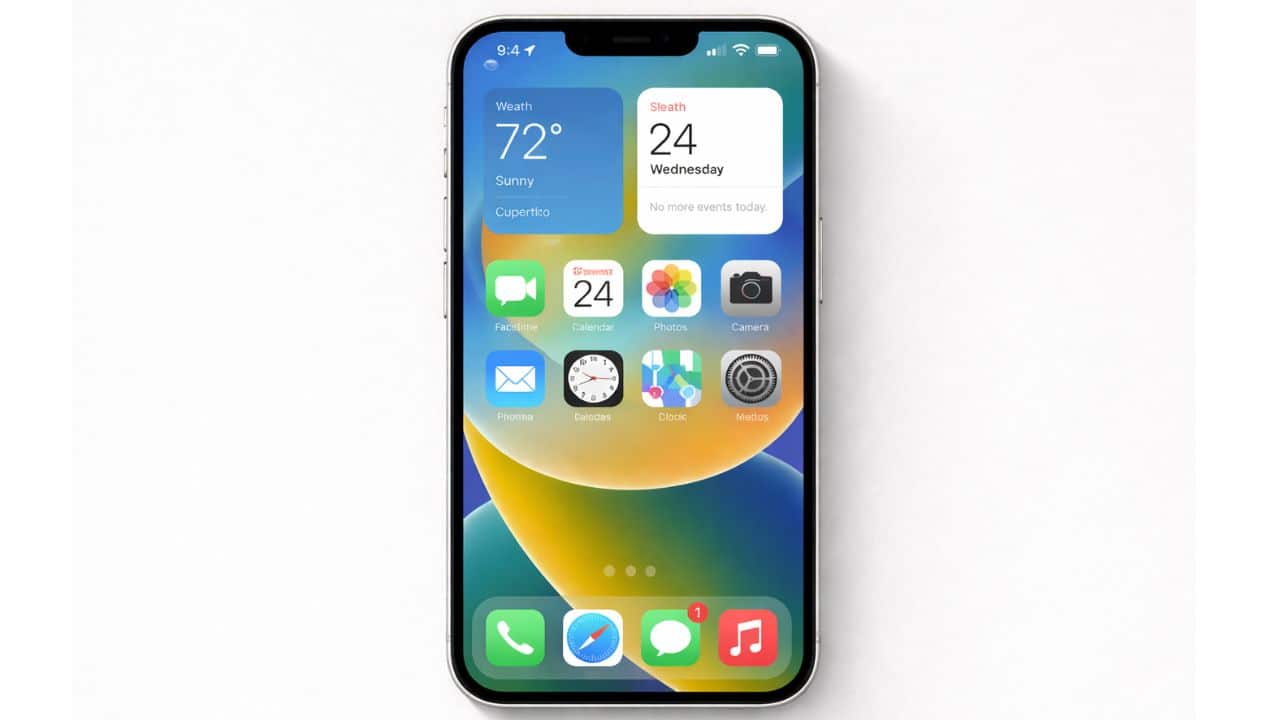
iOS is not just the software that powers an iPhone. It is a deeply integrated operating system designed to manage hardware, protect user data, optimize performance, and deliver a consistent experience across millions of devices. For users in the United States, iOS plays a central role in communication, work, entertainment, and digital security.
Many iPhone users interact with iOS every day without fully understanding how it works. This lack of system knowledge often leads to confusion around settings, privacy controls, battery behavior, and performance limitations. Learning the fundamentals of iOS helps users make informed choices, avoid common mistakes, and use their devices more efficiently.
This explains how iOS works at a system level, how its interface is structured, how settings control behavior, and why Apple’s design philosophy makes iOS different from other mobile operating systems. It serves as the foundation for deeper topics such as privacy, troubleshooting, performance optimization, and advanced features.
What Is iOS?
iOS is the mobile operating system developed by Apple for the iPhone. It controls how hardware and software interact, how apps run, and how users interact with their devices.
Unlike open operating systems, iOS is part of a tightly controlled ecosystem. Apple designs the hardware, builds the operating system, manages updates, and regulates app distribution. This vertical integration allows Apple to optimize performance, extend device lifespan, and enforce strong privacy and security standards.
At a fundamental level, iOS is responsible for:
- Managing the iPhone’s processor, memory, and storage
- Running apps in a secure and controlled environment
- Enforcing privacy permissions and data protection
- Delivering a consistent and intuitive user interface
How iOS Works Internally
iOS is built using a layered architecture. Each layer has a specific responsibility and protects the system from instability or misuse.
Core System Layers
The lowest layers of iOS communicate directly with the hardware. These components handle tasks such as power management, graphics rendering, touch input, and wireless communication. Because apps cannot directly access these layers, the system remains stable even if an app fails.
Above the hardware layer sits the system framework layer. This includes services such as networking, audio and video playback, location services, notifications, and file access. Apps interact with these frameworks rather than the hardware itself, which improves performance consistency and security.
The top layer is the user interface layer. This is where gestures, animations, and visual elements are rendered. By separating interface elements from core system functions, iOS ensures smooth interactions and predictable behavior.
The iOS User Interface Explained
The iOS interface is designed around simplicity, consistency, and accessibility. Every app follows the same visual language, making it easier for users to navigate without relearning controls.
Home Screen
The Home Screen is the central navigation hub of iOS. It displays app icons, widgets, and folders. Over time, Apple has expanded the Home Screen to support dynamic widgets and flexible layouts while maintaining clarity.
Key Home Screen elements include:
- App icons for launching applications
- Widgets for glanceable information
- The Dock for frequently used apps
App Library
The App Library automatically organizes all installed apps into categories. This reduces Home Screen clutter and allows users to keep fewer pages while still accessing every app easily.
Control Center
Control Center provides instant access to essential system controls such as Wi-Fi, Bluetooth, brightness, volume, and media playback. It minimizes the need to navigate deep into settings for common actions.
Notification Center
Notifications are centralized to reduce interruptions. iOS groups alerts intelligently, allowing users to stay informed without being overwhelmed.
Navigation and Gestures
iOS relies heavily on gesture-based navigation. Physical buttons have been replaced by intuitive swipe actions, making navigation faster and more fluid.
Common gestures include:
- Swiping up to return to the Home Screen
- Swiping down to access notifications or search
- Swiping sideways to switch between apps
These gestures are consistent across apps, reducing the learning curve for new users.
Understanding the iOS Settings System
The Settings app is the control center of iOS. Every system behavior, permission, and preference is managed here.
Structure of iOS Settings
Settings are organized by function rather than by app type. Core sections include:
- General system preferences
- Privacy and security controls
- Display, sound, and accessibility options
Each installed app also has its own settings panel, allowing users to control permissions and behavior without opening the app itself.
Why Settings Knowledge Is Important
Many common iPhone issues originate from misunderstood settings. Battery drain, notification overload, storage warnings, and privacy concerns can often be resolved by adjusting system preferences.
Privacy as a Core Design Principle
Privacy is embedded into the foundation of iOS. Apple limits how apps collect, access, and share data.
iOS enforces:
- Explicit permission requests
- Transparent data access controls
- User control over tracking and location
Users can review and revoke permissions at any time, giving them control over their personal information.
iOS Security Architecture
Security in iOS is enforced at multiple levels. Each app runs in its own sandbox, preventing it from accessing data belonging to other apps or the system.
Key security features include:
- Secure boot process that verifies system integrity
- Encrypted storage that protects user data
- Biometric authentication such as Face ID and Touch ID
Even if a malicious app reaches a device, system-level restrictions severely limit its capabilities.
Performance and Resource Management
iOS actively manages memory, processing power, and background activity. Apps not in use are suspended, conserving battery life and system resources.
This controlled approach explains why iPhones often feel smooth even with less hardware memory. iOS prioritizes active tasks and limits unnecessary background processes.
Battery Management in iOS
Battery efficiency is a major focus of iOS design. The system monitors usage patterns and adjusts performance to extend battery lifespan.
iOS manages:
- Background activity limits
- Power consumption by apps
- Charging behavior to reduce battery wear
Understanding these mechanisms helps users interpret battery behavior more accurately.
Storage Management Basics
iOS manages storage dynamically. The system allocates space for apps, media, system data, and temporary files.
When storage becomes limited, iOS automatically offloads unused apps and optimizes system data. Users can manually manage storage through system settings for greater control.
Software Updates and Long-Term Support
One of iOS’s strongest advantages is long-term update support. Apple delivers updates directly to users without carrier delays.
Updates include:
- Security patches
- Performance optimizations
- Feature improvements
This approach extends device lifespan and improves long-term value.
iOS Compared to Other Mobile Operating Systems
iOS prioritizes reliability, security, and consistency over extreme customization. While this limits certain freedoms, it reduces instability and security risks.
Users benefit from:
- Predictable system behavior
- Strict app quality standards
- Seamless ecosystem integration
This philosophy appeals to users who value stability and privacy.
iOS Within the Apple Ecosystem
iOS is designed to work seamlessly with other Apple products. Data syncs automatically, and features extend across devices.
Ecosystem benefits include:
- Cloud-based data synchronization
- Cross-device continuity features
- Unified communication services
This integration simplifies daily digital tasks.
Who Benefits From Learning iOS Fundamentals?
Understanding iOS basics helps:
- First-time iPhone users
- Long-term users troubleshooting issues
- Privacy-conscious individuals
- Professionals seeking productivity gains
System knowledge empowers users to control their devices rather than react to problems.
iOS is designed to work quietly in the background while managing complex tasks efficiently and securely. Its strength lies in controlled simplicity, deep security, and long-term reliability. By understanding iOS fundamentals, users gain confidence, efficiency, and control over their devices.
This pillar page serves as the foundation for all deeper iOS topics, including privacy, performance optimization, troubleshooting, and advanced usage.
iOS is highly resistant to malware due to sandboxing and strict app review policies. Serious infections are extremely rare.
iOS dynamically manages performance to maintain stability and battery health. Updates also include optimizations for supported devices.
iOS is a closed ecosystem controlled by Apple, while Android allows broader customization. iOS focuses on security, consistency, and long-term updates.